

Instant Bank Transfer Brand Requirements
Instant Bank Transfer is built for gaming and enables consumers to move funds to and from their bank account and your platform.
Contacting PayDirect SupportPayDirect is Paramount’s consumer-facing brand for Instant Bank Transfer payments. The PayDirect customer support team will support Consumers using the product. However, Paramount’s Account Management, Operations, and Business Customer Support teams will support Merchants and Partners with the product.
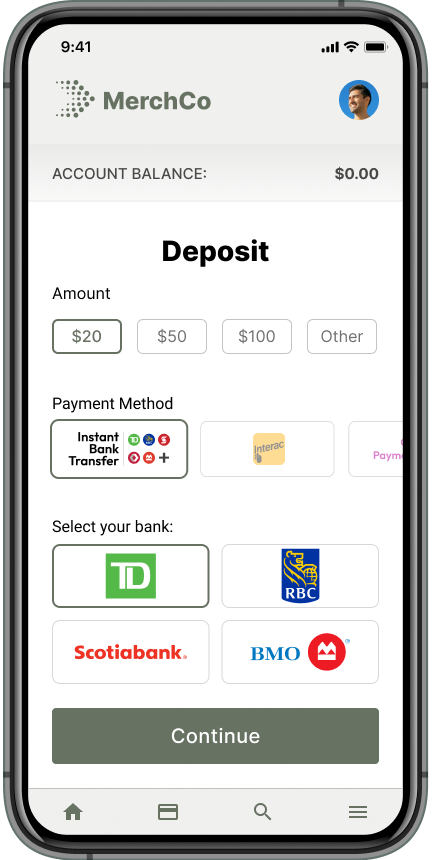
To optimize conversion, merchants are advised to provide a clear explanation of what Instant Bank Transfer is, how it works, and the applicable limits at checkout or on web pages that list and describe available deposit methods.
Consumers should also be informed about what to expect during the verification and payment process. Instant Bank Transfer requires consumers to validate personal data by logging in to their online banking. Merchants should include a copy on their site that informs consumers about this step.
Title and Descriptor
All title or description text available on cashiers, transaction histories, and anywhere this method is referenced should be either:
- Instant Bank Transfer
- Instant Bank Transfer by PayDirect (only if space permits and text will not wrap onto multiple lines)
Recommended Cashier Copy
Use Instant Bank Transfer to move funds instantly from your bank account to your gaming account through your online banking. There are no fees, and it's fast, simple, and secure.
In addition to what Instant Bank Transfer is, you may also want to let the consumer know what it is not. Specifically, that the product is not an e-wallet and that no account is needed to use it.
Cashier Display Discount Requirements
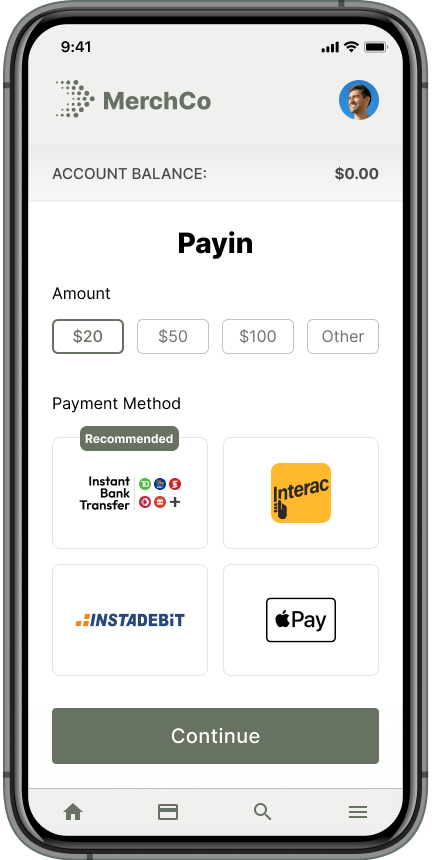
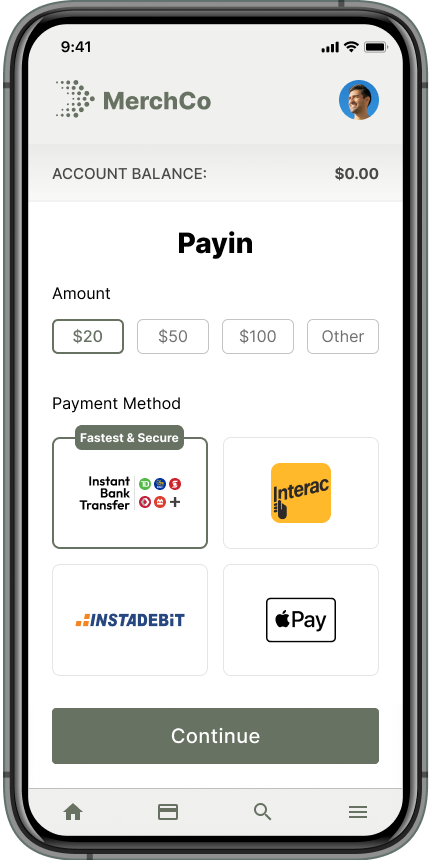
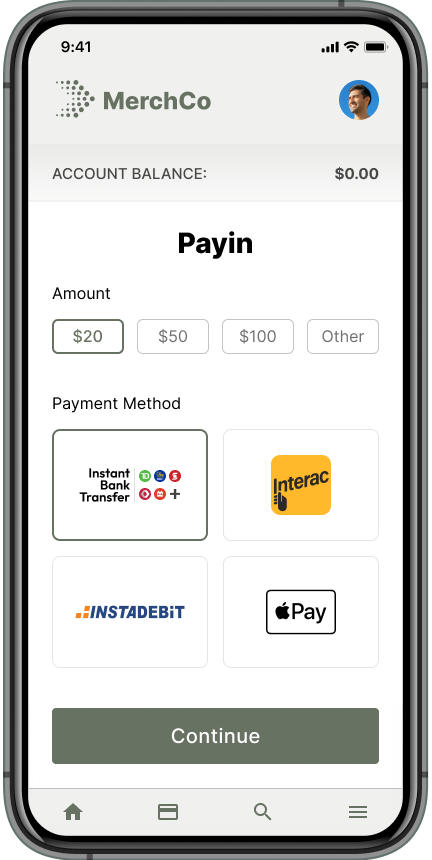
Meet the cashier display requirements below to qualify for payment discounts. The following are highly recommended to achieve the best conversion for Instant Bank Transfer. Note that the logo and cashier description requirements must be met to receive a discount.
| Cashier display presentation | Example |
|---|---|
| Cashier Placement The payment method is first in the list of deposit methods OR is second, immediately following cards. | 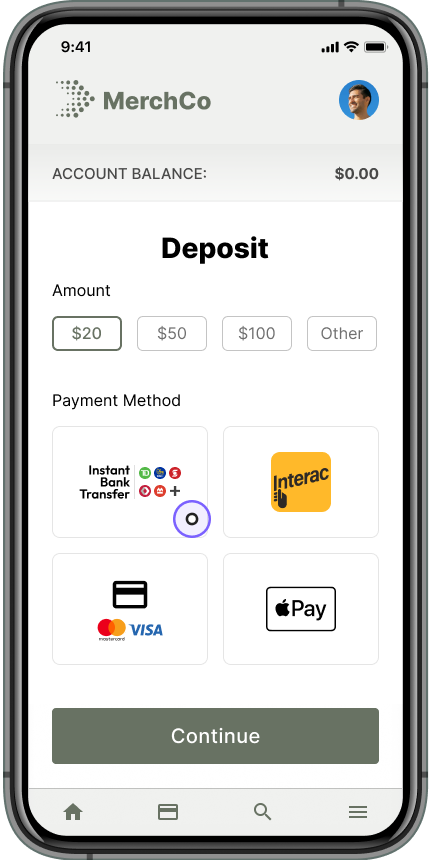 |
| Recommended The payment method is labeled as recommended or includes an approved label. Approved labels:
|  |
| Preselected The payment method is preselected on the cashier. |
|
| Benefit Statement A benefit statement is featured below the payment method. The benefit statement pairs best with the "Recommended" or "Preferred" label on the payment method. Approved benefit statements:
|  |
Cashier and Product Logo Library
The logo variations in our library below are in order of priority with the given space available on your cashier or website space. To better manage logos, map to the link of the recommended image file.
Do not download logos directly.
Logos
| Variation | Image | Min / max size | Color | White |
|---|---|---|---|---|
| 01 |  | 102x34px / 204x68px | 1x png 2x png svg | 1x png 2x png svg |
| 02 |  | 140x32px / 280x64px | 1x png 2x png svg | 1x png 2x png svg |
| 03 |  | 220x54px / 440x108px | 1x png 2x png svg | 1x png 2x png svg |
| 04 |  | 220x80px / 440x160px | 1x png 2x png svg | 1x png 2x png svg |
| 05 |  | 320x32px / 640x64px | 1x png 2x png svg | 1x png 2x png svg |
| 06 |  | 26x25px / 52x50px * | 1x png 2x png svg | 1x png 2x png svg |












Variation 06 must be displayed along with the text Instant Bank Transfer.
What Not To Do
The Instant Bank Transfer logo should never be altered.
Do Not:
- Stretch the logo image horizontally, vertically or make it skewed.
- Replace the order of the bank logos.
- Use any colors other than the ones used in the image.
- Rotate the logo.
- Add any special effects.
- Choose a new shape for the rectangle.
- Change the spacing between the text Instant Bank Transfer and the logos beneath it.
- Alter or modify the PayDirect treatment in any way.
Updated about 1 year ago