

Disbursement
Overview
The Disbursement report includes all disbursements made to merchant accounts within the specified date range. The Disbursement report date range refers to when the disbursement was processed, not the disbursement period itself.
To view the Disbursement report, go to Balance > Disbursement.
INTERAC Disbursement
NoteThis report was previously referred to as the INTERAC Reimbursement report.
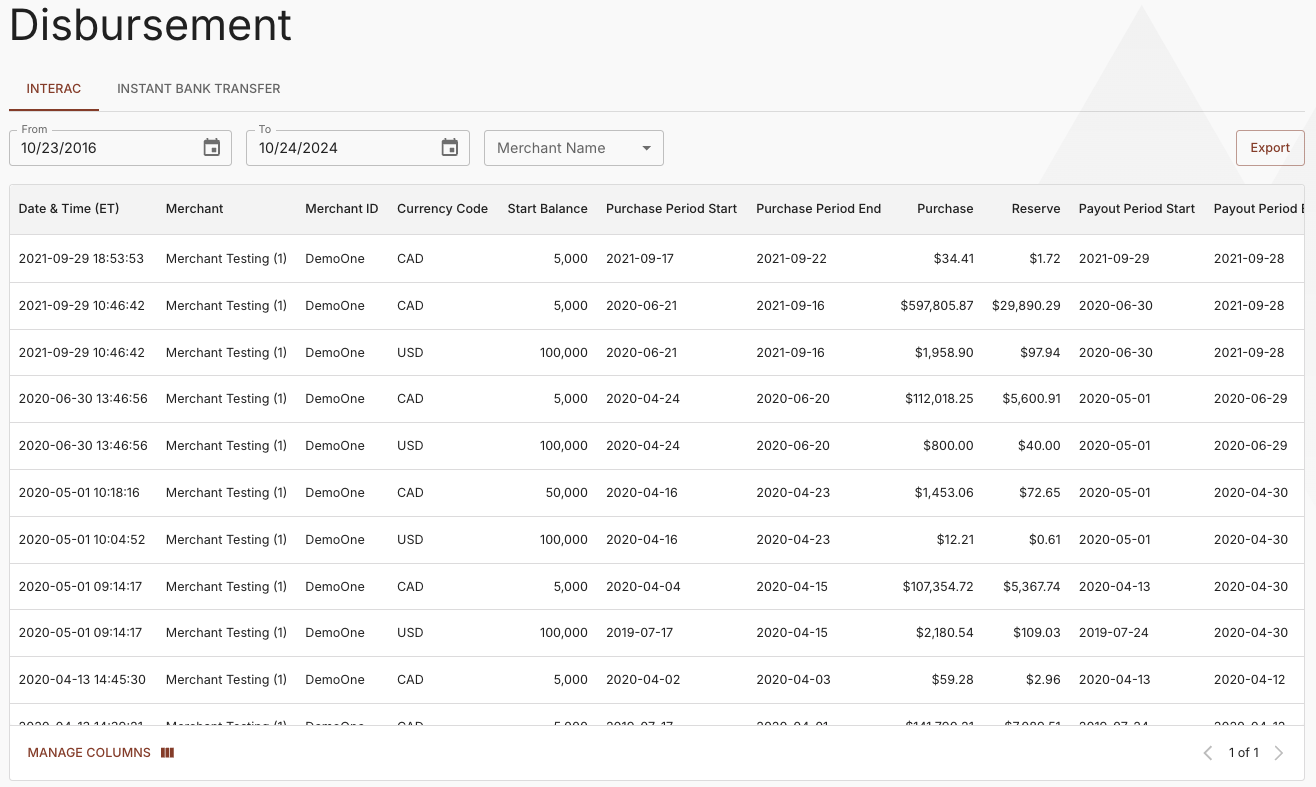
INTERAC Disbursement Report
The report can be filtered by Date Range or Merchant Name to view specific details.
The INTERAC Disbursement report contains the following information.
| Column | Contents |
|---|---|
| Processing Date & Time (ET) | The date and time that the Paramount operator processed the reimbursement. |
| Merchant | The name of the merchant account in the Paramount system |
| Merchant ID | The Paramount-assigned merchant ID. |
| Currency | The ISO 4217 3-digit alphabetic currency code. |
| Start Balance | The available balance at the start of the reporting period. The start balance for a reimbursement is usually $0 (zero). However, if the merchant requests a partial reimbursement, or pre-funds their merchant account in order to make payouts, the start balance may be positive. |
| Purchase | |
| Period | The beginning and ending dates for the reimbursed purchases reporting period. The reimbursement date ranges are different for purchases versus payouts, returns, and adjustments. Purchases are settled within five (5) days, whereas payouts, returns, and adjustments are deducted immediately from the merchant account. |
| Purchase | The total dollar amount of all debits during the reporting period. |
| Reserve | The total dollar reserve amount deducted for purchases during the reporting period. |
| Payout/Return/Adjustment | |
| Period | The beginning and ending dates for the reimbursed Payout/Return/Adjustment reporting period. |
| Payout | The total dollar amount of payouts processed during the reporting period. |
| Return | The total dollar amount of final returns deducted during the reporting period. |
| Adjust | The total dollar amount of adjustments during the reporting period. Adjustments to the merchant account balance include transactions outside of the system, such as wire transfers into the merchant account to fund credits. |
| Released Reserve | The total dollar amount of matured reserve reimbursed during the reporting period. |
| Fee | The total dollar amount of processing fees charged for purchases, payouts, and returns during the reporting period. |
| HDL | The total dollar amount of handling fees (usually wire fees) charged against the merchant account during the reporting period. |
| Disbursed Amount | The net dollar amount reimbursed to the merchant account. |
| End Balance | The end balance is $0 (zero) unless the merchant requests an amount to be carried over to use for credits. |
| Reserve Balance | The total reserve balance held after the reimbursement period. |
Instant Bank Transfer Disbursement
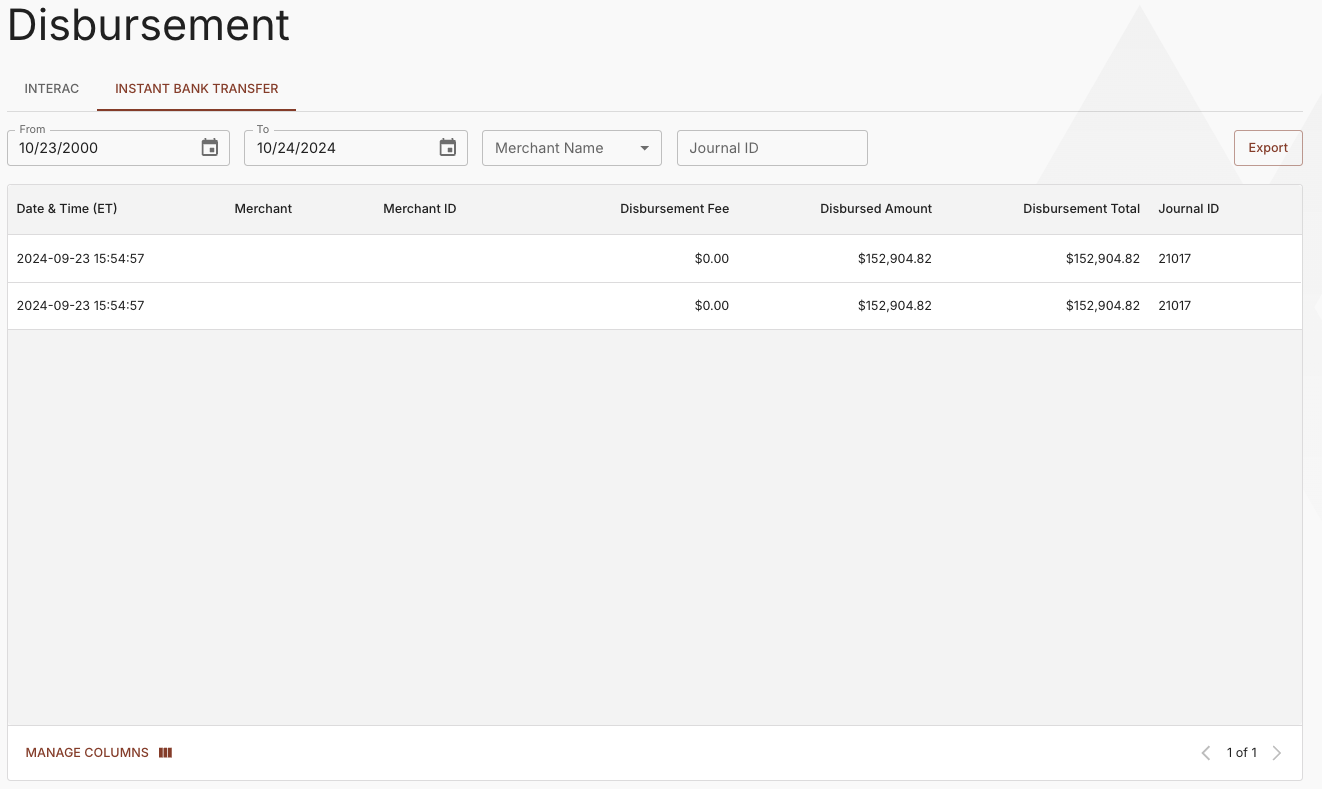
Instant Bank Transfer Disbursement Report
The report can be filtered by Date Range, Merchant Name, or Journal ID to view specific details.
The Instant Bank Transfer Disbursement report contains the following information.
| Column | Contents |
|---|---|
| Disbursement Date & Time (ET) | The date and time that the Paramount operator processed the adjustment. |
| Merchant ID | The Paramount-assigned merchant ID. |
| Merchant | The name of the merchant account in the Paramount system |
| Disbursement Fee | The disbursement fee charged against the merchant account. |
| Disbursed Amount | The disbursement amount. |
| Disbursement Total | The total amount disbursed. |
| Journal ID | The journal used for processing the disbursement. |
Updated about 1 year ago