

Adjustments
Overview
The Adjustments report includes all adjustments made to merchant accounts.
To view the Adjustments report, go to Balance > Adjustments.
INTERAC Adjustments
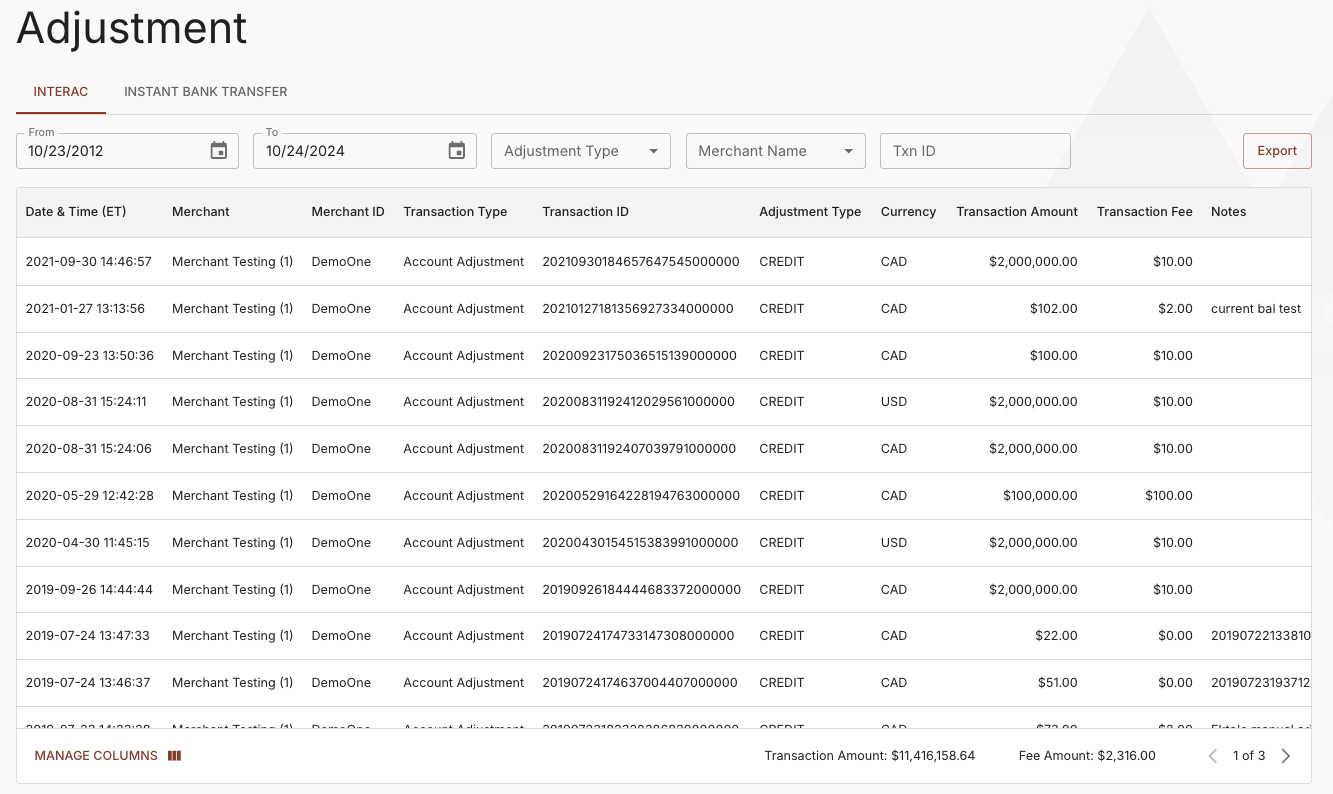
INTERAC Adjustments Report
The report can be filtered by Date Range, Adjustment Type, Merchant, or Transaction ID to view specific details.
The INTERAC Adjustment report contains the following information.
| Column | Contents |
|---|---|
| Date & Time (ET) | The date and time that the Paramount operator processed the adjustment. |
| Merchant | The name of the merchant account in the Paramount system |
| Merchant ID | The Paramount-assigned merchant ID. |
| Transaction Type | The transaction type.
|
| Transaction ID | The unique adjustment transaction ID assigned by Paramount. |
| Adjustment Type | The adjustment type. Credit Debit |
| Transaction Amount | The dollar amount of the adjustment. |
| Transaction Fee | The dollar amount of transaction fees charged against the merchant account. |
| Currency | The ISO 4217 3-digit alphabetic currency code. |
| Notes | The description of the adjustment |
Instant Bank Transfer Adjustments
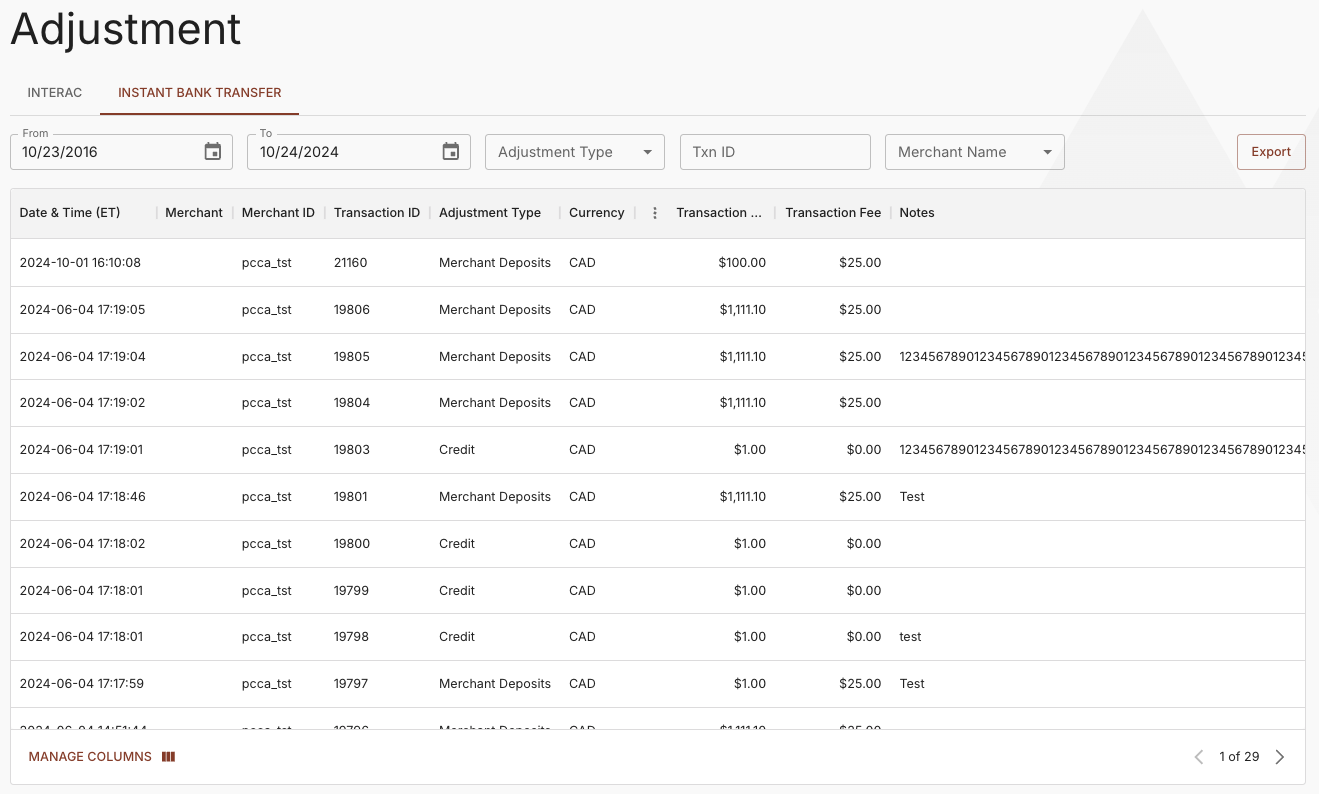
Instant Bank Transfer Adjustments Report
The report can be filtered by Date Range, Adjustment Type, Transaction ID, or Merchant to view specific details.
The Instant Bank Transfer Adjustment report contains the following information.
| Column | Contents |
|---|---|
| Date & Time (ET) | The date and time that the Paramount operator processed the adjustment. |
| Transaction ID | The unique adjustment transaction ID assigned by Paramount. |
| Adjustment Type | The adjustment type. Credit Debit Merchant Deposits |
| Merchant | The name of the merchant account in the Paramount system |
| Merchant ID | The Paramount-assigned merchant ID. |
| Merchant Sub ID | The Paramount-assigned merchant sub account ID. |
| CUR | The ISO 4217 3-digit alphabetic currency code. |
| Amount | The dollar amount of the adjustment. |
| Fee | The dollar amount of transaction fees charged against the merchant account. |
| Notes | The description of the adjustment |
Updated about 1 year ago
Did this page help you?